Convert Vector SVG to 3D Models & STL Free
Turn 2D SVG logos, icons, and vector graphics into fully extrudable, watertight 3D digital assets.
Supports SVG Vector (up to 15MB)
Automated 2D to 3D AI Pipeline
From raw SVG Vector upload to production-ready 3D Model / STL mesh in seconds
Upload your 2D SVG Vector image to Voxelvia3D's secure dashboard.
Our AI separates the background and performs neural 3D mesh reconstruction.
Adjust polycount decimation (low, medium, high poly density) and PBR materials.
Download your compiled, optimized 3D Model / STL model instantly.
Resolution-Independent Vector Extrusion from SVG to 3D STL
Unlike raster pixels found in PNG or JPG files, SVG (Scalable Vector Graphics) shapes are defined mathematically using Bezier curves and control nodes. Converting SVG vector paths to 3D guarantees zero resolution loss and perfectly smooth curved perimeter walls regardless of your physical 3D print scale.
Voxelvia3D's vector engine automatically processes complex compound paths—such as letters with interior cutouts (e.g. 'O', 'P', 'B')—extruding solid outer contours while maintaining precise hollow interiors. Output meshes automatically verify watertight manifold geometry for instant CAD editing or slicer G-code generation.
Workflows, Guidelines & Integrations
Explore recommended settings, production applications, and compatible software
Convert all font text to outlines/paths in Illustrator or Inkscape before uploading to ensure proper 3D path extrusion.
Ensure all Bezier path nodes form fully closed loops without overlapping stray lines or open ends.
Merge overlapping vector shapes into unified path objects to prevent intersecting mesh faces.
Specify exact Z-axis extrusion thickness in your slicer or CAD editor after exporting the STL file.
What You Can Build With SVG Vector to 3D Model / STL
Explore real-world workflows engineered for watertight slicing, Bambu AMS multi-color printing, and custom collectibles.
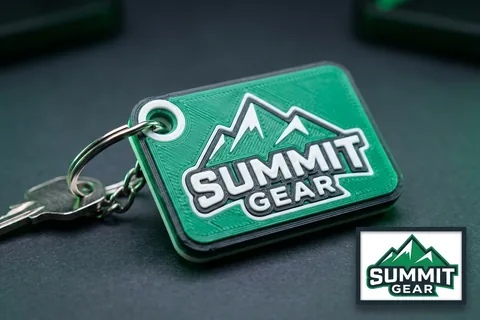
Logo to 3D Print
Multi-Color AMSTurn 2D vector logos into multi-color 3D printed keychains, corporate badges, and signs for Bambu AMS.
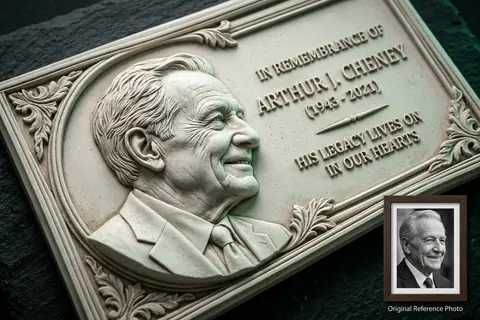
Photo to 3D Relief
Bas-ReliefConvert high-contrast photos into sculpted bas-relief wall art, lithophanes, and commemorative plaques.
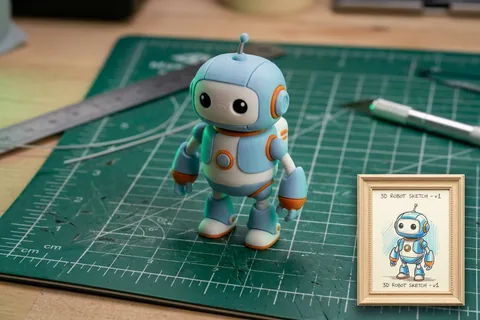
Sketch to 3D Print
Doodles & ToysTurn hand-drawn paper sketches, doodles, and children's drawings into durable physical plastic toys.
Explore Related 3D AI Converters
Frequently Asked Questions
Everything you need to know about SVG Vector to 3D Model / STL AI conversion.
Start Converting SVG Vector to 3D Model / STL
Test AI quality with verified showcase models for free, or get credits to convert your own custom SVG Vector files into watertight 3D models.
Get Started Now