Convert Image to 3D GLB Model Online Free
Translate 2D image assets into compact 3D GLB models. Instantly ready for browser-based viewports and mobile AR.
Supports Image (up to 15MB)
Automated 2D to 3D AI Pipeline
From raw Image upload to production-ready GLB mesh in seconds
Upload your 2D Image image to Voxelvia3D's secure dashboard.
Our AI separates the background and performs neural 3D mesh reconstruction.
Adjust polycount decimation (low, medium, high poly density) and PBR materials.
Download your compiled, optimized GLB model instantly.
Understanding GLB & glTF 2.0: The Single-File Binary Standard for Web 3D & AR
The GLB format is the self-contained binary representation of glTF 2.0 (GL Transmission Format), designed by Khronos Group to serve as the efficient 'JPEG of 3D' for web browsers.
Unlike older multi-file formats that require separate `.bin` geometry buffers and loose PNG texture maps, GLB binary packaging embeds mesh vertices, material definitions, and PBR textures (Albedo, Normal, Roughness, Metallic ORM) into a single optimized file container.
GLB streams seamlessly over HTTP, allowing web browsers to parse and render 3D assets natively using WebGL, WebGPU, Three.js `GLTFLoader`, Google `<model-viewer>`, Shopify 3D product media, iOS Quick Look, and Android Scene Viewer.
Workflows, Guidelines & Integrations
Explore recommended settings, production applications, and compatible software
Keep all textures packed inside the GLB container for seamless single-file web deployment.
Use standard ORM (Occlusion, Roughness, Metallic) texture channel packing for fast GPU shader rendering.
Choose low or medium polycount decimation for fast web page load times and mobile AR responsiveness.
Preview exported GLB models in Three.js or <model-viewer> to confirm lighting and material reflection behavior.
What You Can Build With Image to GLB
Explore real-world workflows engineered for watertight slicing, Bambu AMS multi-color printing, and custom collectibles.
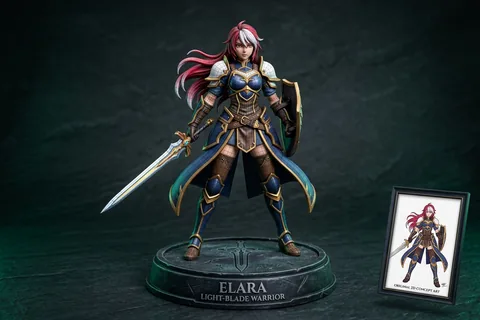
2D Character to 3D
Anime & OCTransform 2D anime drawings and original character concept art into printable quad-mesh collectibles.
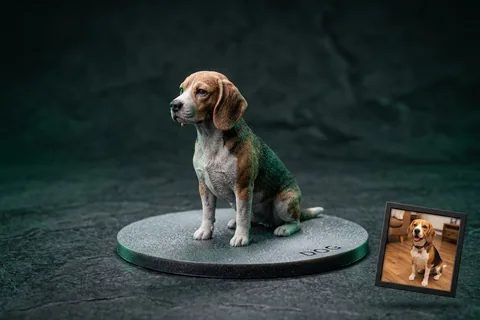
Photo to 3D Figurine
MiniaturesConvert portrait and pet photos into watertight miniature figurines with integrated flat bed-adhesion baseplates.
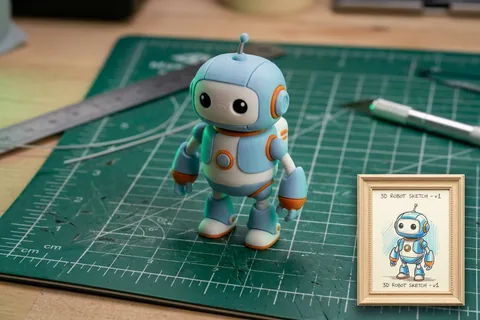
Sketch to 3D Print
Doodles & ToysTurn hand-drawn paper sketches, doodles, and children's drawings into durable physical plastic toys.
Explore Related 3D AI Converters
Frequently Asked Questions
Everything you need to know about Image to GLB AI conversion.
Start Converting Image to GLB
Test AI quality with verified showcase models for free, or get credits to convert your own custom Image files into watertight 3D models.
Get Started Now