Convert 2D Images & Concept Art to 3D Models with AI
Turn digital drawings, character concept art, and 2D illustrations into detailed 3D digital assets with clean topology and PBR material maps in seconds.
Supports 2D Concept Art & Image (up to 15MB)
Automated 2D to 3D AI Pipeline
From raw 2D Concept Art & Image upload to production-ready 3D Model mesh in seconds
Upload your 2D 2D Concept Art & Image image to Voxelvia3D's secure dashboard.
Our AI separates the background and performs neural 3D mesh reconstruction.
Adjust polycount decimation (low, medium, high poly density) and PBR materials.
Download your compiled, optimized 3D Model model instantly.
How AI Neural Reconstruction Turns 2D Drawings & Concept Art into 3D Models
Voxelvia3D's image-to-3D engine relies on single-view neural reconstruction algorithms. By evaluating silhouette edges, line weights, and shading contours from a 2D concept illustration, the neural network constructs a spatial 3D feature volume that predicts unseen object surfaces and back angles.
The AI generates an optimized polygon mesh featuring watertight surface boundaries and Physically Based Rendering (PBR) texture maps—including Albedo color, Normal displacement, and Roughness parameters—enabling real-time interaction in WebGL, Unity, and Unreal Engine.
Every conversion compiles into three universal 3D file formats: GLB (for web viewports and mobile AR), OBJ with accompanying .MTL texture libraries (for Blender editing), and STL (for direct FDM and SLA 3D printing). If you want to convert real-world camera photographs or physical products instead, check out our dedicated [Photo to 3D Model Converter](/tools/photo-to-3d).
Workflows, Guidelines & Integrations
Explore recommended settings, production applications, and compatible software
Select concept art or drawings where the character or prop clearly contrasts against a clean background for accurate AI silhouette extraction.
Use illustrations with balanced ambient light. Avoid harsh baked shadows that might interfere with neural texture mapping.
Crisp detail allows pixel-aligned 3D encoders to reconstruct precise surface displacement and fine geometric contours.
Position one central character, prop, or vehicle in frame to maximize 360-degree volumetric accuracy during AI depth estimation.
What You Can Build With 2D Concept Art & Image to 3D Model
Explore real-world workflows engineered for watertight slicing, Bambu AMS multi-color printing, and custom collectibles.
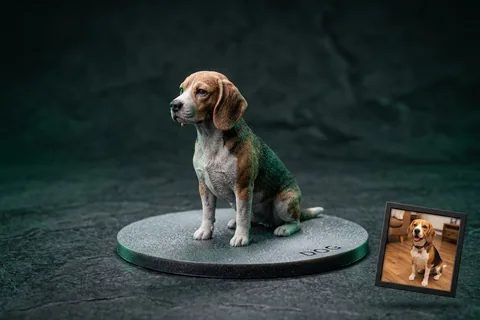
Photo to 3D Figurine
MiniaturesConvert portrait and pet photos into watertight miniature figurines with integrated flat bed-adhesion baseplates.
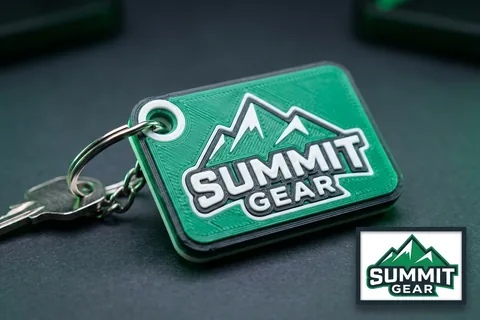
Logo to 3D Print
Multi-Color AMSTurn 2D vector logos into multi-color 3D printed keychains, corporate badges, and signs for Bambu AMS.
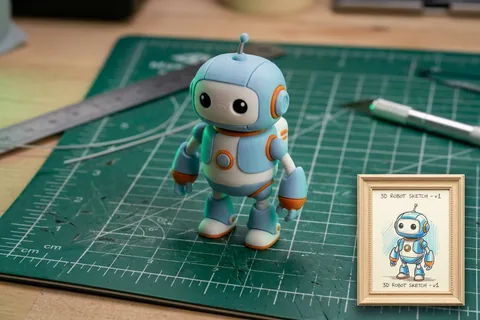
Sketch to 3D Print
Doodles & ToysTurn hand-drawn paper sketches, doodles, and children's drawings into durable physical plastic toys.
Explore Related 3D AI Converters
Frequently Asked Questions
Everything you need to know about 2D Concept Art & Image to 3D Model AI conversion.
Start Converting 2D Concept Art & Image to 3D Model
Test AI quality with verified showcase models for free, or get credits to convert your own custom 2D Concept Art & Image files into watertight 3D models.
Get Started Now