Convert Image to 3D Printable STL with AI
Turn flat 2D graphic designs, logos, and photos into print-ready 3D STL meshes with closed surface boundaries.
Supports Image (up to 15MB)
Automated 2D to 3D AI Pipeline
From raw Image upload to production-ready STL mesh in seconds
Upload your 2D Image image to Voxelvia3D's secure dashboard.
Our AI separates the background and performs neural 3D mesh reconstruction.
Adjust polycount decimation (low, medium, high poly density) and PBR materials.
Download your compiled, optimized STL model instantly.
Understanding STL Conversion: Watertight Manifold Geometry for 3D Printing
The STL (Stereolithography) format defines 3D surface geometry using a mesh of connected triangles. For a 3D printer to successfully slice an STL file into toolpath G-code, the mesh must be completely 'watertight' and 'manifold'—meaning every triangle edge connects to exactly two faces with zero holes or open boundary gaps.
Voxelvia3D's AI conversion engine transforms flat 2D images into volumetric 3D meshes while automatically verifying manifold integrity. The algorithm seals perimeter boundaries, enforces minimum wall thickness, and eliminates non-manifold edges to prevent extruder path errors in slicer software.
Whether you are converting 2D logos into raised extruded badges or translating photos into depth-based relief lithophanes, Voxelvia3D ensures the exported STL geometry is verified and ready for instant printing.
Workflows, Guidelines & Integrations
Explore recommended settings, production applications, and compatible software
High visual contrast between your subject and background creates sharp, clean perimeter edges on extruded STL walls.
Ensure small image details exceed your 3D printer's nozzle size (e.g. >0.4mm) so thin structures don't snap during printing.
Smooth out compression noise in JPGs before uploading to prevent unwanted micro-spikes on surface print layers.
Set an adequate base thickness in printer settings so your model adheres securely to the build plate during initial layer extrusion.
What You Can Build With Image to STL
Explore real-world workflows engineered for watertight slicing, Bambu AMS multi-color printing, and custom collectibles.
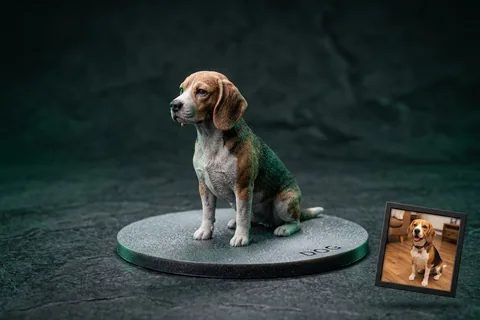
Photo to 3D Figurine
MiniaturesConvert portrait and pet photos into watertight miniature figurines with integrated flat bed-adhesion baseplates.
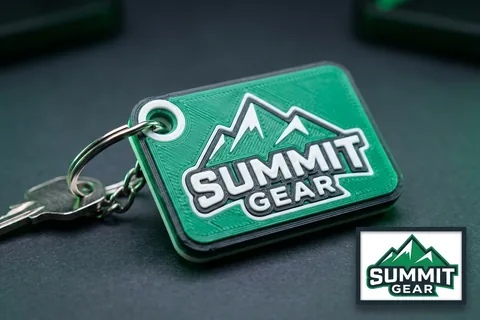
Logo to 3D Print
Multi-Color AMSTurn 2D vector logos into multi-color 3D printed keychains, corporate badges, and signs for Bambu AMS.
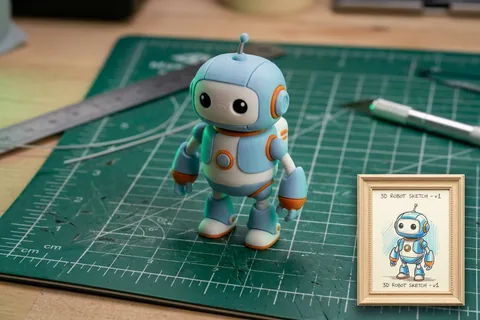
Sketch to 3D Print
Doodles & ToysTurn hand-drawn paper sketches, doodles, and children's drawings into durable physical plastic toys.
Explore Related 3D AI Converters
Frequently Asked Questions
Everything you need to know about Image to STL AI conversion.
Start Converting Image to STL
Test AI quality with verified showcase models for free, or get credits to convert your own custom Image files into watertight 3D models.
Get Started Now